Avatar Light Volumes
VRC Light Volumes are the direction VRChat avatar lighting should be moving toward. They are a much better fit for clubs, social worlds, neon-heavy spaces, dark interiors, and any other environment where avatar lighting is supposed to feel grounded in the world.
This is not just a small quality upgrade over plain Unity light probes. In practice, it is a major improvement in how avatars react to local lighting.
| Option | What it really is |
|---|---|
| Unity Light Probes | Legacy fallback for older avatars and older shader setups |
| VRC Light Volumes | Preferred modern standard for avatar and dynamic-object lighting |
If you are an avatar user:
- update your avatar shader if it already supports VRC Light Volumes
- test in an actual Light Volume world
- use light probes only if the avatar is still on an older shader setup
If you are a world creator:
- support VRC Light Volumes
- tag the world with
vrclightvolumes - tell users that updated avatar shaders are recommended
Why Light Volumes Are Objectively Superior
- better local lighting detail
- better response in colored and mixed lighting
- better grounding in small rooms, clubs, and moody interiors
- better consistency with the baked world look
- better presentation near mirrors, stages, bars, dance floors, and other social focal points
If a venue or world is built around VRC Light Volumes, avatars that do not support them will usually look flatter, less reactive, and less integrated into the space.
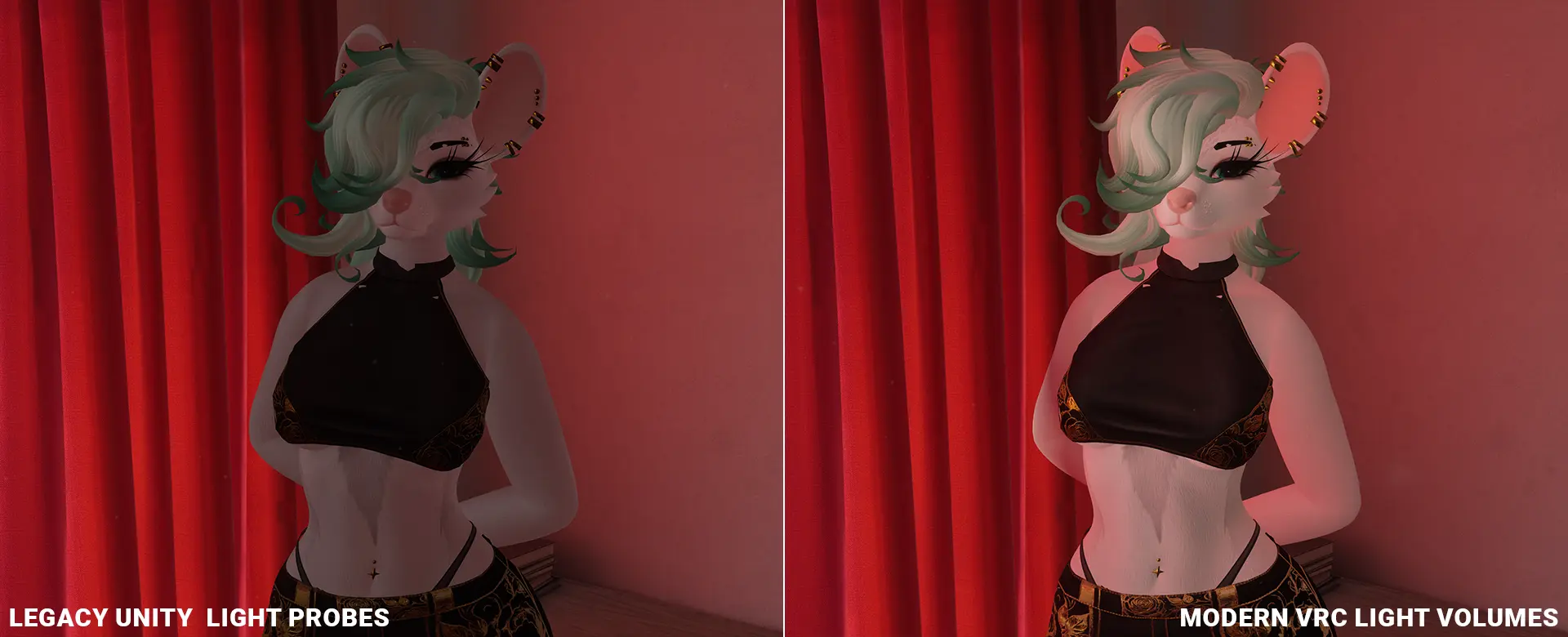
Legacy light probes compared with VRC Light Volumes in a close social-space lighting scenario.
The Important Social Rule
If your avatar does not currently work with VRC Light Volumes, that does not mean you should be excluded from a world or venue.
But it does mean the fix should usually happen on the avatar side, not by asking world creators to pretend light probes and light volumes are equal.
World creators should support modern lighting. Avatar creators should update shaders when support already exists.
What To Read Next
| Page | Use it for |
|---|---|
| Updating Avatar Shaders for Light Volumes | Practical upgrade steps, with special notes for Poiyomi, lilToon, and Mochie |
| Compatible Shaders for Light Volumes | Reference list of supported shaders and version milestones |
Test Worlds
If you want to confirm whether an avatar really responds to VRC Light Volumes correctly, test it in worlds that are known to use them:
- Japanese Alley - VRC Light Volumes Test by RED_SIM
- Light Volumes x AudioLink x FakeLTCGI Test by Vard
- 2000s Classroom by Artic-
- Concrete Oasis by orels1
- Light Experiments by Vesturo
Use more than one test world when possible. A shader can look fine in soft broad lighting and still fail badly in a neon-heavy or high-contrast space. When testing, look closely at face lighting, color response, grounding in shadows, and mirror presentation.
For Venue Owners and World Hosts
If you run a venue, event space, or social world that uses VRC Light Volumes:
- tag the world with
vrclightvolumes - mention Light Volume support in the world description, Discord, or event info
- tell users that updated avatar shaders are recommended
- treat light probes as the fallback for legacy avatars, not the preferred standard
What Most Users Should Do
The practical message is simple:
- if your shader already supports VRC Light Volumes, update it
- if the avatar still does not work, check whether the shader has a toggle for it
- if the shader is truly unsupported, then use light probes as a fallback until the avatar is modernized
More often than not, the problem is not that the shader is unsupported. The problem is that the shader version on the avatar is old.
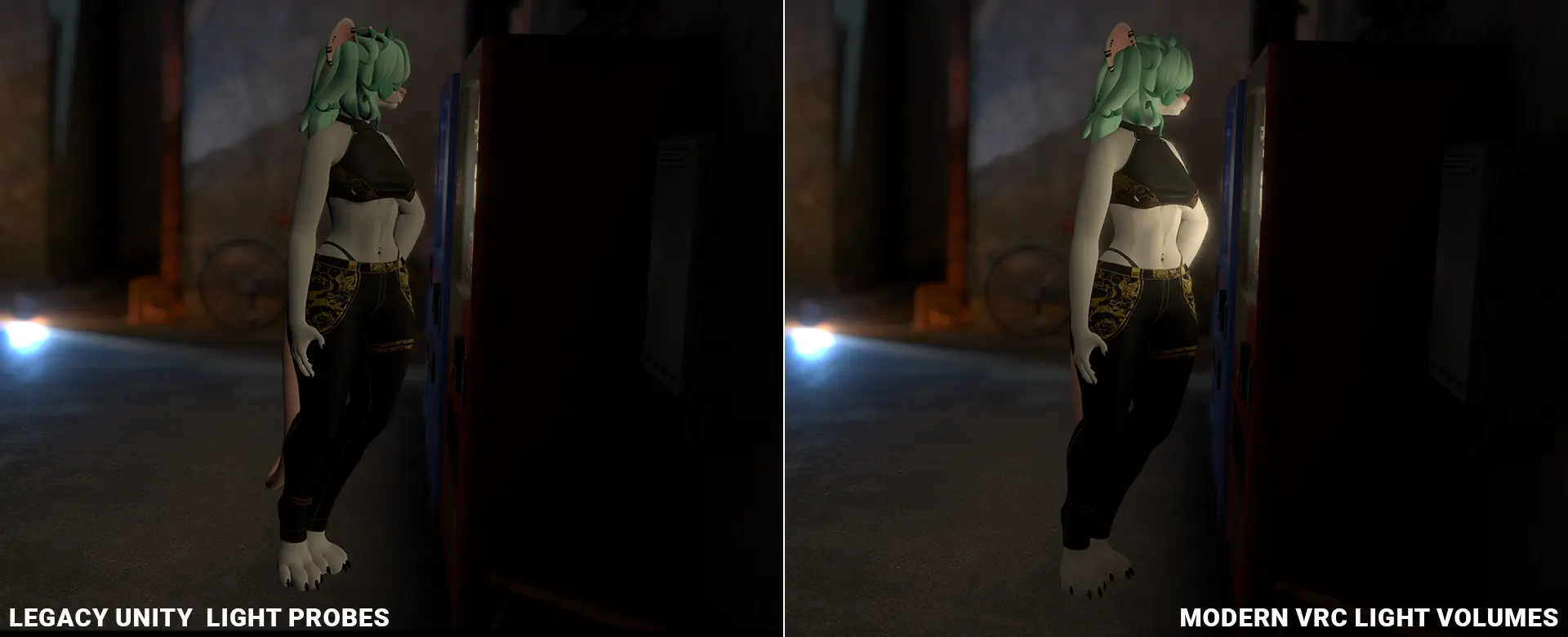
Colored-lighting comparison. Light Volumes are not just sharper, they preserve the world's stylized lighting more correctly than probes.
Final Recommendation
VRC Light Volumes are the preferred modern standard.
Light probes are the fallback for legacy avatars.
If your avatar can support VRC Light Volumes, update the shader and use them. Continue to Updating Avatar Shaders for Light Volumes when you are ready to fix the avatar, or jump to Compatible Shaders for Light Volumes if you need the reference list first.