ALCOM for VRChat Projects
ALCOM is the project-management path this guide recommends for VRChat creators.
It is fast, cross-platform, open source, and built around the same package-management layer that matters in practice: VRChat packages, repositories, project setup, and update flow.
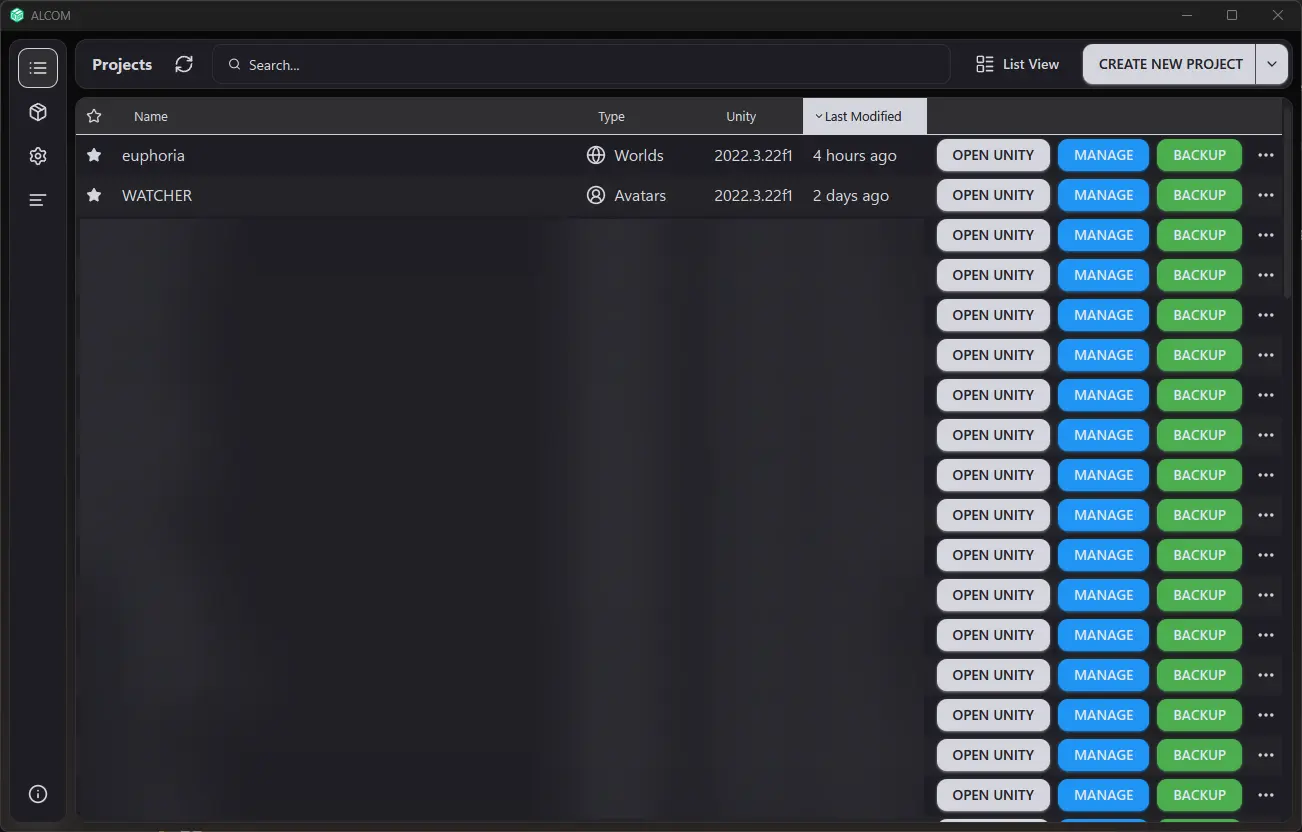
ALCOM's main project view. This is the screen that should feel familiar before you start doing real package work.
Sources:
Why Use ALCOM
ALCOM has a few advantages that make it easier to recommend than the usual official tooling:
- runs on Windows, macOS, and Linux
- installs and updates packages quickly
- can install or update multiple packages at once
- exposes package CHANGELOG links directly when available
- uses the
vrc-getecosystem underneath, which makes its behavior more legible for advanced users - can work with the same shared project and repository settings if you already touched older tooling before
If you are starting a VRChat avatar or world project today, use ALCOM as your project and package manager.
One of ALCOM's strongest practical features is its project-template workflow. If you create more than a few VRChat projects, templates are where ALCOM starts saving real time instead of just feeling nicer than older tooling.
What This Guide Covers
| Page | Use it for |
|---|---|
| Installation and Setup | Installing ALCOM, picking the right build, and getting a clean project-management environment |
| Templates and Project Starters | Building repeatable avatar and world starting points instead of rebuilding setup every time |
| Package Management | Repositories, package installs, upgrades, changelog checking, and safe update habits |
| Maintenance and Recovery | Keeping projects healthy, backing them up, recovering from mistakes, and switching machines cleanly |
Recommended Workflow
- Install ALCOM and verify it launches correctly.
- Decide whether this project should start from a reusable template.
- Create or add your VRChat project.
- Add the repositories you actually need.
- Install only the packages the project needs.
- Read changelogs before major upgrades.
- Use version control and backups before risky package or Unity changes.
The useful ALCOM screenshots are the ones that show project state, package state, and repository state clearly. Those are the parts of the client that actually affect day-to-day VRChat work.
What ALCOM Is Not
ALCOM is not your substitute for version control.
Use ALCOM to manage projects and packages. Use Git or Plastic to track changes and protect work.
That distinction matters a lot in VRChat projects where one bad import, package upgrade, or prefab change can cost hours.