Installation and Setup
Pick the Right Build
ALCOM is available on:
- Windows
- macOS
- Linux
Download it from the official page:
If you prefer to inspect the project itself:
Why This Matters
One of ALCOM's biggest advantages is that it is not locked to a single desktop platform. If your workflow crosses Windows, macOS, or Linux, that alone makes it easier to standardize on.
First Setup Checklist
When installing ALCOM for the first time:
- Install the build for your platform.
- Launch it once and complete any initial setup prompts.
- Verify your Unity install is visible and your projects can be opened.
- Add only the repositories you actually plan to use.
- Create a test project or add an existing one before touching a production project.
Treat your first ALCOM project as a dry run. Confirm that project opening, package installs, and updates behave the way you expect before using it on a critical world or avatar.
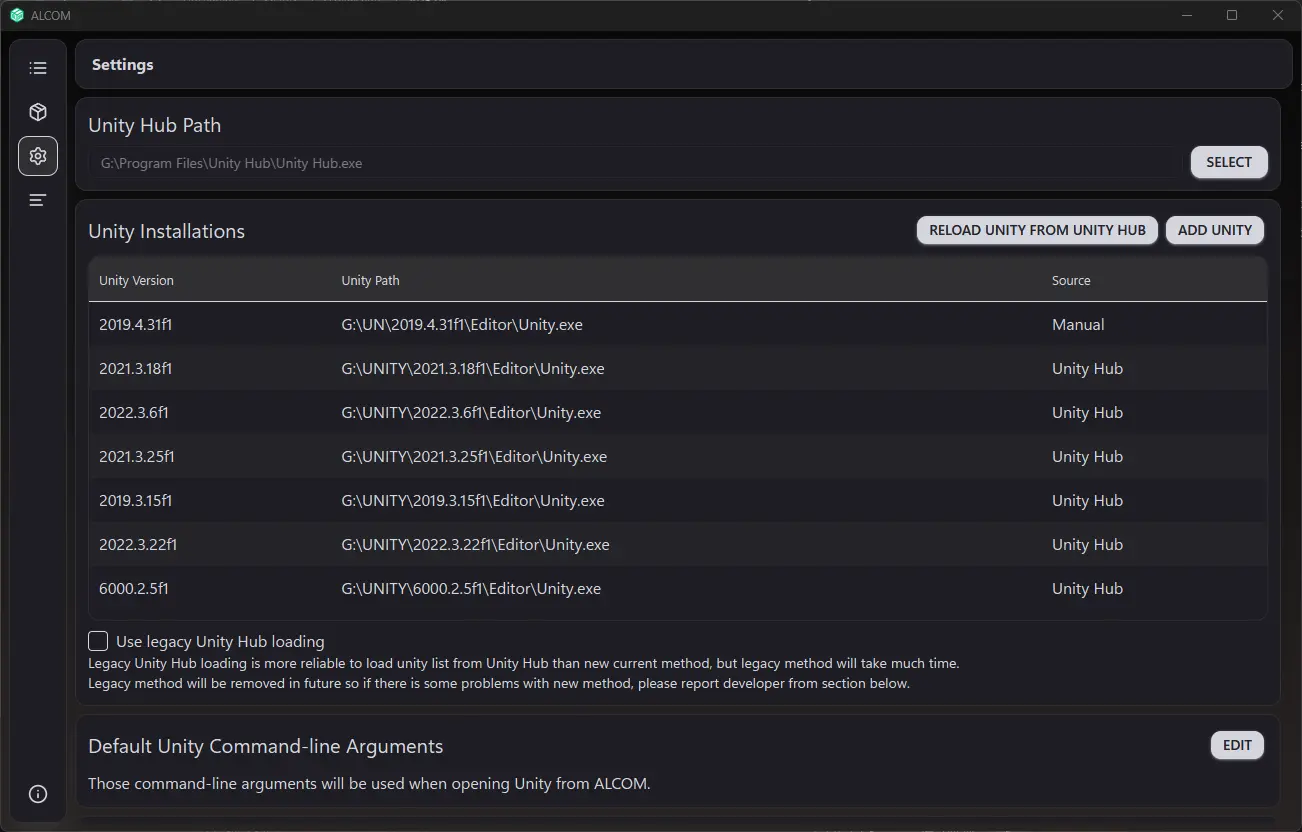
Settings are worth a quick pass early on so your project paths and general defaults do not turn into cleanup work later.
Creating or Adding Projects
In practice, most creators will do one of two things:
- create a new project from a template
- add an existing project to ALCOM and continue from there
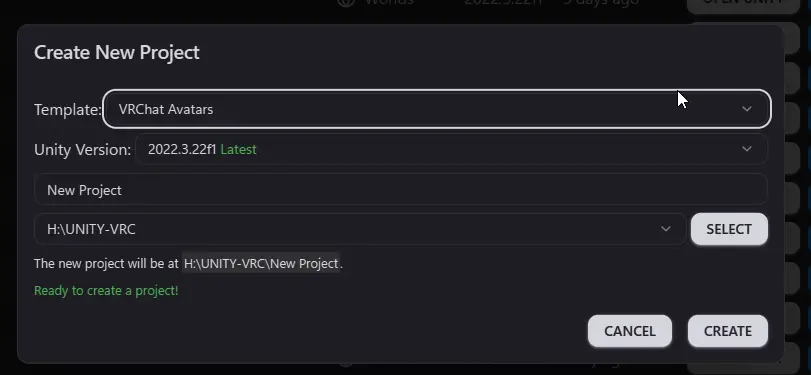
New-project creation in ALCOM. This is the view that matters if you want a repeatable starting point instead of rebuilding project setup from scratch.
ALCOM's template system is one of the main reasons to take project setup seriously in the first place.
ALCOM release notes describe a project template system that can create templates inside ALCOM, install multiple VPM packages at once, import unitypackage content, and create blank projects.
That makes it a strong fit for teams, recurring world setups, repeatable avatar baselines, and troubleshooting projects you want to rebuild quickly.
If templates are going to be part of your normal workflow, read Templates and Project Starters before you settle into habits you will have to undo later.
If You Are Switching From Older Tooling
If you already touched older VRChat package tools before moving to ALCOM, the transition is usually straightforward because ALCOM is designed to reuse shared project and repository settings where possible.
That means switching does not have to be a dramatic migration event. In most cases it is just a workflow change.
Recommended Setup Habits
- Keep Unity, packages, and project storage in predictable locations.
- Avoid extremely long Windows paths for VRChat projects.
- Keep one stable test project around for package experiments.
- Do not add every repository you can find just because it exists.
- Prefer repeatable templates over manually rebuilding the same setup every time.