Package Management
Package management is where ALCOM really earns its keep.
Templates are a big part of that story too, because they let you start from a better baseline before package maintenance even begins.
Its main strengths are:
- fast installs
- fast updates
- multi-package operations
- changelog visibility
- an ecosystem built on
vrc-get
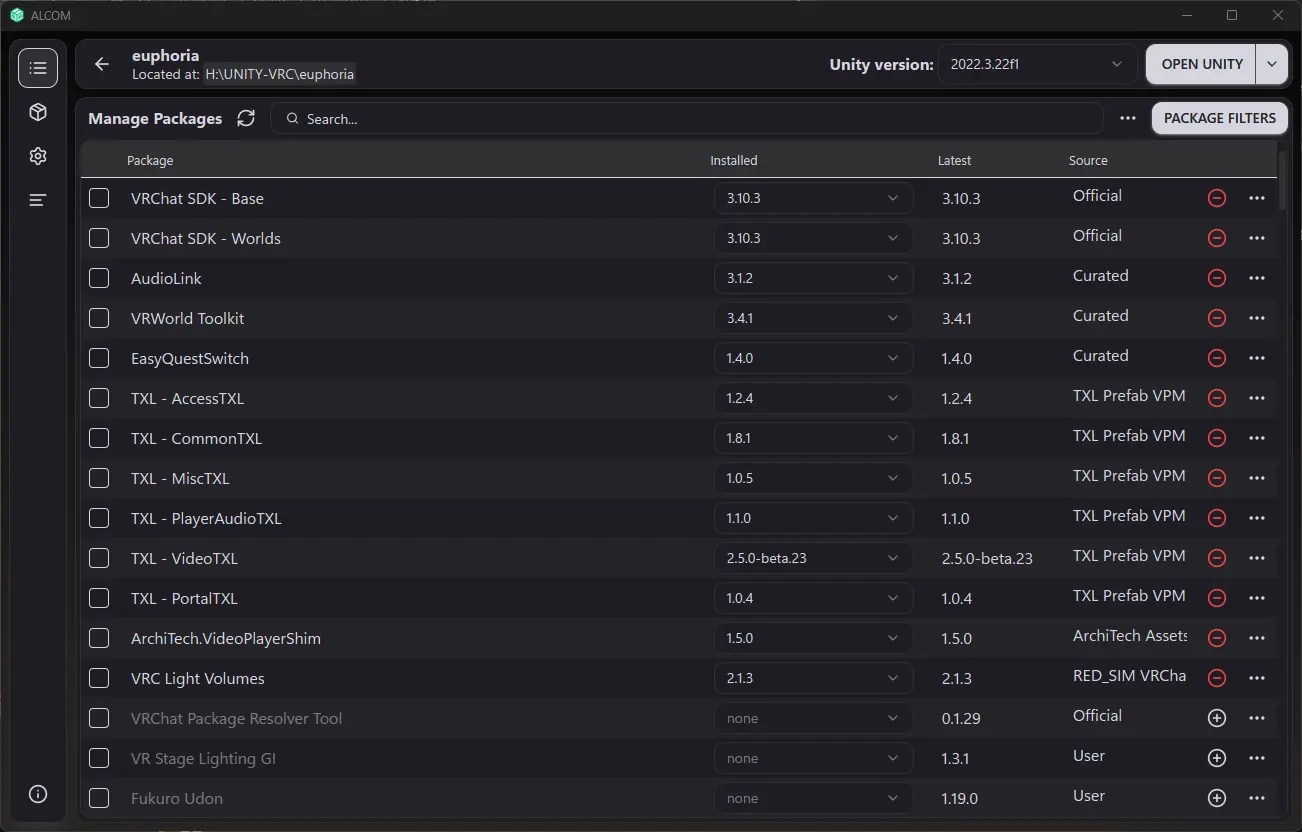
Project detail view. This is where package state stops being abstract and starts affecting the actual avatar or world you are maintaining.
Core Package Habits
The healthy ALCOM workflow is simple:
- Start from a clean template when the project type is something you repeat often.
- Add the repositories you trust.
- Install only what the project actually needs.
- Read changelogs before major upgrades.
- Upgrade deliberately, not impulsively.
- Test after package changes, especially on world projects.
Why ALCOM Feels Better Here
According to the ALCOM product page, one of its headline advantages is significantly faster package installation and the ability to install multiple packages simultaneously.
It also surfaces package changelog links directly when available, which makes it much easier to review what changed before you upgrade.
Repositories
Good repository hygiene matters more than people think.
Recommended habits:
- add only repositories you actually use
- know where each package is coming from
- avoid overlapping repositories unless you understand the consequences
- periodically clean up stale repositories and cached clutter

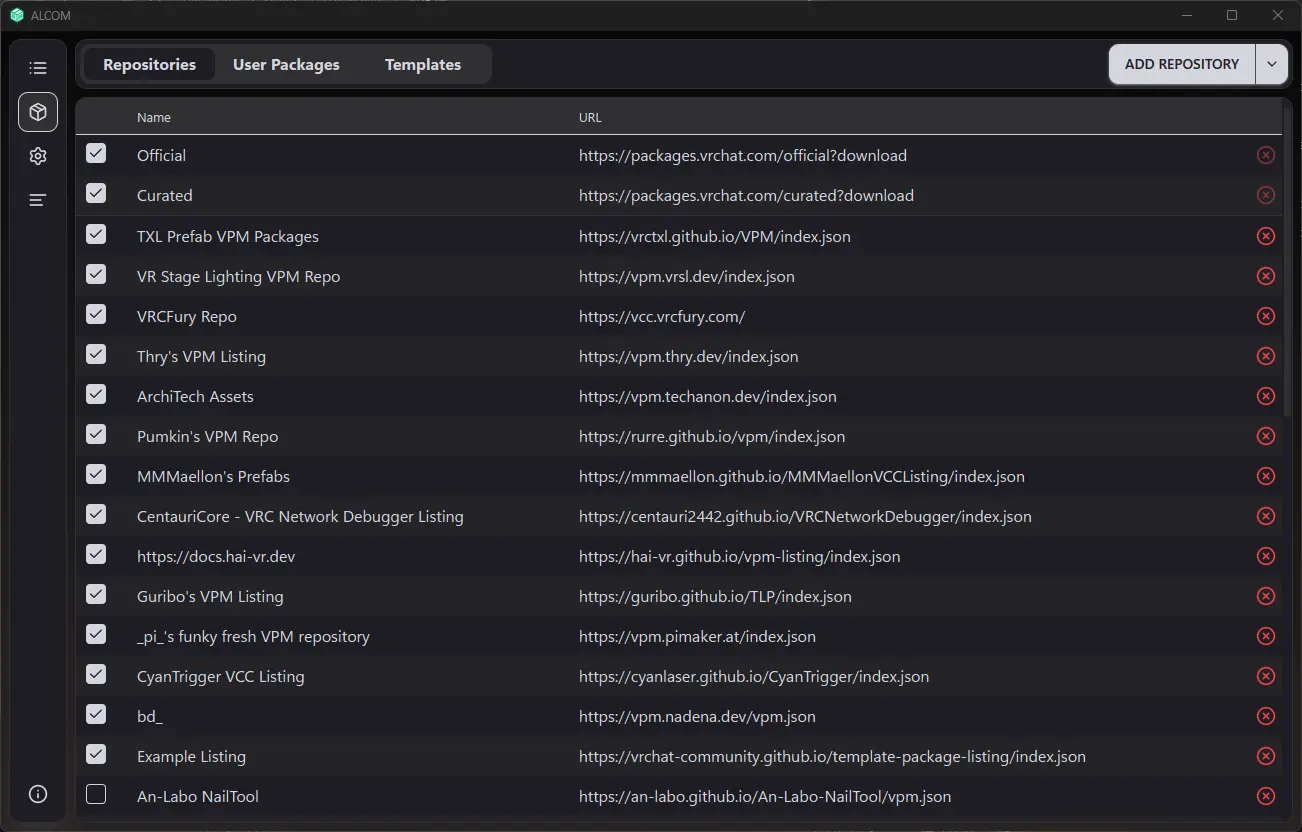
Repository management. If a package situation looks strange, this is one of the first places worth checking.
If you are comfortable with CLI tools, vrc-get also exposes repository management commands like:
repo listrepo addrepo removerepo cleanup
Source:
Before Updating Packages
Before any meaningful package upgrade:
- commit your project or create a backup
- read the changelog
- know whether the update is feature-driven or compatibility-driven
- expect shader, prefab, or package interaction changes on larger upgrades
Do not treat package updates like harmless app updates. In VRChat projects, package changes can alter menus, controllers, prefabs, layers, scripts, and upload behavior.
Package browsing in ALCOM. This is where good habits matter most, because every package you add becomes part of your long-term maintenance burden.
Safe Upgrade Pattern
Use this pattern for important updates:
- Commit or back up the project.
- Update one package group at a time.
- Re-open the project and let Unity settle.
- Test the avatar or world.
- Only then continue with the next package set.
That is slower than blind upgrading, but much faster than recovering from a broken project.
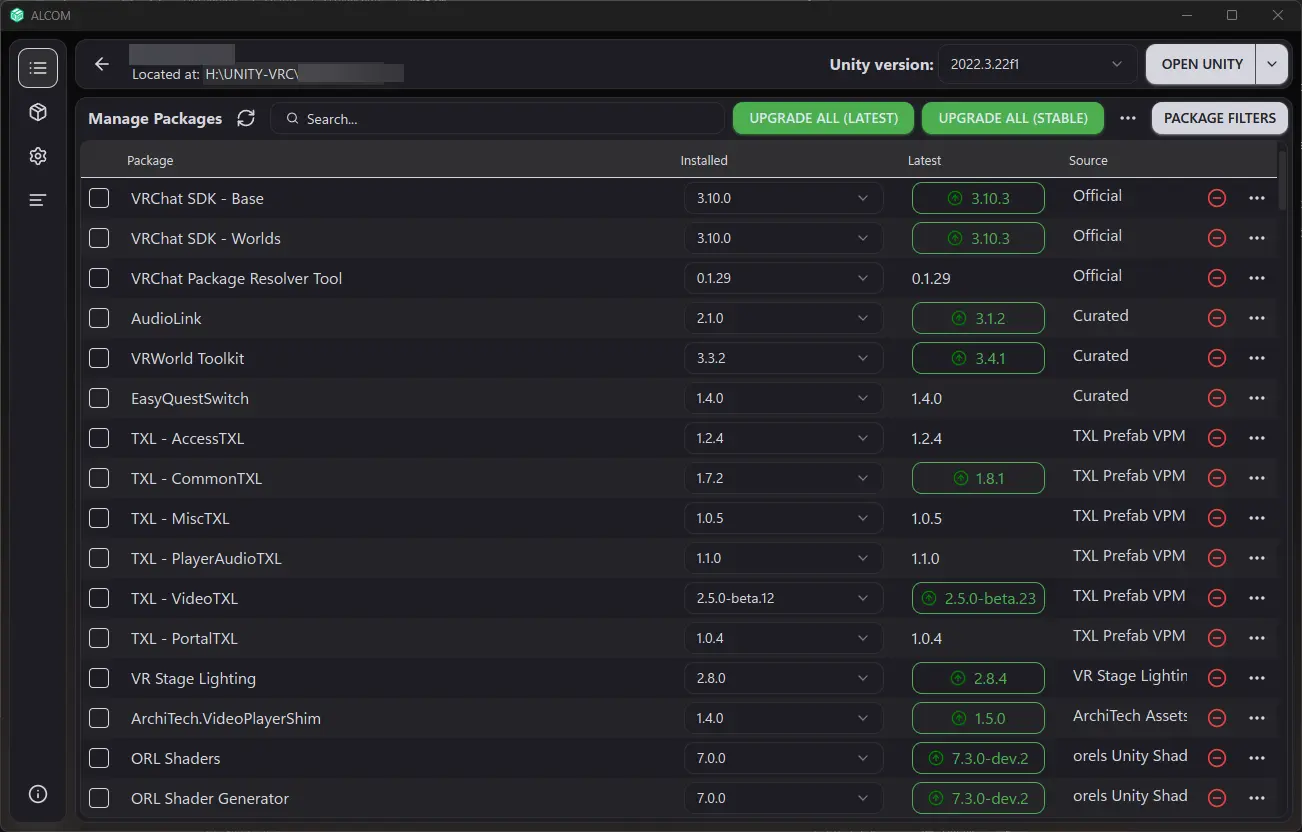
Update workflow. This is the moment where ALCOM is convenient, but where you still want discipline.
ALCOM Features Worth Using
ALCOM release notes and docs highlight a few quality-of-life features worth leaning on:
- Upgrade all style workflows
- package search by display name, id, and aliases
- direct CHANGELOG access
- support for custom templates
- package operations that can happen in batches
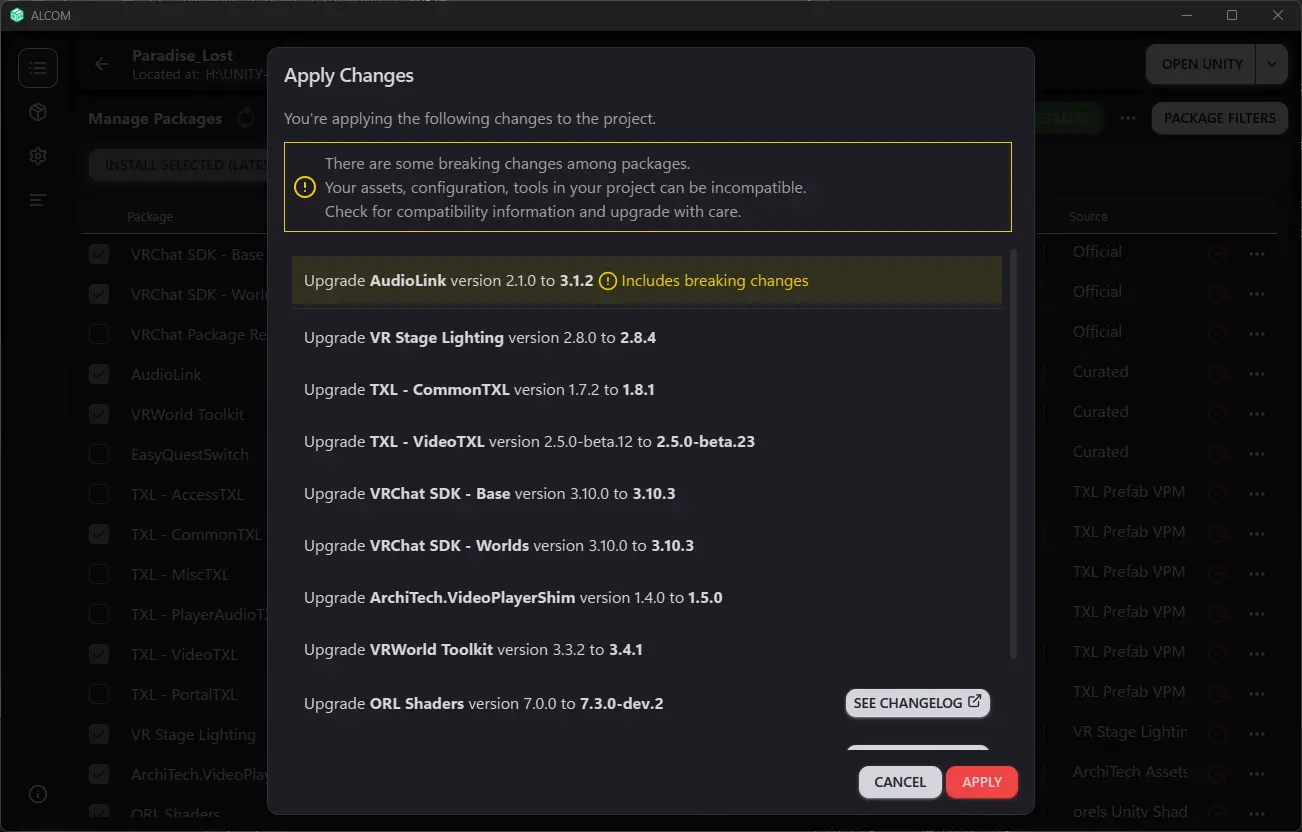
Batch operations are one of the places where ALCOM feels especially good, as long as you still update in sensible groups and test between jumps.
Those do not replace judgment, but they make maintenance less tedious.
When to Reach for vrc-get
ALCOM is the friendly layer.
vrc-get is the power-user layer.
If you need:
- scripting
- CI-friendly package handling
- repository operations from the command line
- more explicit package-management control
then vrc-get is worth learning alongside ALCOM.
See:
If your real leverage in ALCOM comes from reusable project baselines, also read Templates and Project Starters.